 Watching movies and other multimedia content on a Mac should be simple, but not all video players handle different formats, subtitles, HDR content, and network media equally well. Movist Pro 2.17.1 for Mac is designed for users who want greater control over video playback without needing a complex media center.
Movist Pro focuses on smooth playback and a clean experience on macOS. It supports hardware-accelerated video decoding and provides tools for subtitles, playback speed, audio settings, playlists, and much more. The Pro edition also adds features such as access to network servers, web content playback, picture-in-picture, browser extensions, and AirPlay.
Version 2.17.1 is especially appealing to users with newer versions of macOS. It requires macOS 12 or later and includes AirPlay support in macOS 15 or later as a beta feature. It can also automatically convert unsupported video and audio formats when using AirPlay.
The player is useful for watching movies every day, but it can also handle more demanding multimedia workflows. Users can play high-resolution videos, adjust subtitles, connect to network servers, and view compatible web multimedia content, all from a single application.
Features
- Hardware-Accelerated Video Playback
- Movist Pro is designed to take advantage of hardware video decoding on compatible Macs. This improves playback efficiency, especially with demanding video formats.
- The developer highlights hardware-accelerated decoding for formats such as H.265/HEVC. Previous updates also improved hardware decoding support and introduced AV1 decoding on certain Macs with an Apple Silicon processor.
- This makes Movist Pro a useful option for users who frequently watch high-resolution content.
- 4K and High-Quality Video Playback
- Movist Pro is designed for playing high-quality multimedia content. It supports modern video formats and offers a user-friendly viewing experience.
- For users with high-resolution displays, the player provides a convenient way to enjoy movies, TV shows, personal recordings, and other multimedia content without needing multiple applications.
- Advanced Subtitle Support
- Subtitles are one of Movist Pro’s strengths.
- The application supports various subtitle formats and offers controls that make it easy to adjust the viewing experience. Version 2.17.1 also adds support for text subtitles and PGS/VobSub image subtitles when using AirPlay.
- This is useful for international films, TV series, educational videos, and other content where subtitles are important.
- Subtitle Customization
- Movist Pro offers options for managing the appearance and playback behavior of subtitles.
- Users can work with subtitle files and adjust settings for more comfortable reading. Previous versions also included improvements to subtitle compatibility and display.
- AirPlay Support
- One of the main new features in version 2.17.1 is AirPlay support on macOS 15 or later.
- Users can send compatible video playback to an Apple TV or an AirPlay-enabled television.
- This makes it easier to transition from viewing content on a Mac to a larger TV screen.
- Automatic Format Conversion for AirPlay
- Not all video formats are directly compatible with AirPlay devices.
- Movist Pro 2.17.1 addresses this issue by automatically converting unsupported video and audio formats when necessary. This reduces the need to manually convert media files before playing them on a compatible TV.
- HDR Support
- Movist Pro includes HDR playback features and HDR tone mapping support.
- The final result will depend on the video file, Mac hardware, display, and macOS version.
Pros & Cons
Pros
- Smooth video playback.
- Hardware-accelerated decoding.
- Subtitle support.
- Support for 4K and high-resolution content.
- AirPlay support on compatible macOS versions.
- Automatic AirPlay format conversion.
- HDR features.
- Network server support.
- Picture-in-Picture mode.
- Web content playback.
- Media key support.
- Clean, Mac-style interface.
- Useful playback speed controls.
- Frame-by-frame navigation.
Cons
- AirPlay version 2.17.1 requires macOS 15 or later.
- AirPlay is in beta in this version.
- Some advanced features are only available in the Pro edition.
- Network media setup may require additional adjustments.
- Playback quality may vary depending on the media file format and your Mac’s hardware.
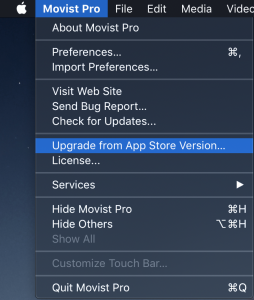
Screenshots:
 System Requirements
- Operating system: macOS 12 Monterey or later
- Processor: 64-bit Intel or Apple Silicon processor
- RAM: 4 GB minimum, 8 GB recommended
- Storage: Approximately 150 MB of available disk space
- Display: 1280 × 800 resolution or higher
- Network: Required for network and online playback features
- AirPlay: Requires macOS 15 or later and a compatible AirPlay receiver
Installation Guide
- Download the installer
- Download the official Movist Pro 2.17.1 installer for macOS.
- Open the downloaded file
- Open the downloaded DMG file and wait for the installation window to appear.
- Move the app
- Drag Movist Pro to the Applications folder on your Mac.
- Launch Movist Pro
- Open Finder, select Applications, and launch Movist Pro.
- Grant the necessary permissions
- If macOS requests permissions, review and grant the necessary permissions for the features you want to use.
- Open a video
- Drag a compatible video file into Movist Pro or use the app’s Open command.
- Configure preferences
- Open Preferences to customize subtitles, playback, audio, mouse controls, playlists, network features, and other available options.
Benefits
- Enjoy more video formats
- Movist Pro is designed to handle a wide range of modern media formats. This reduces the need to switch between multiple video players.
- Better subtitle experience
- Users who regularly watch movies or TV shows in other languages will benefit from the app’s robust subtitle support and customization options.
- Enjoy on a bigger screen
- AirPlay lets you stream compatible content from your Mac to an Apple TV or compatible television.
- Access network media
- The Pro edition supports FTP, SFTP, WebDAV, and SMB network servers. This is convenient for users with NAS devices or shared media libraries.
- Save time on storage conversion
- AirPlay’s automatic conversion can be helpful when a video isn’t directly compatible with the receiving device. Instead of manually converting the file, Movist handles the conversion for AirPlay playback.
- Useful for students
- Playback speed controls and frame-by-frame navigation can be helpful when watching lectures, tutorials, and educational content.
- Useful for content review
- Frame-by-frame navigation and precise playback controls allow users to review recordings, presentations, and other video materials.
- Improved multitasking
- The Picture-in-Picture feature allows users to continue watching content while working in another application.
Performance Review
Movist Pro 2.17.1 for Mac is a powerful media player for users who want more than just basic video playback.
Its greatest strength lies in the balance between advanced functionality and a clean interface. The player offers numerous useful options without turning the main playback window into a complex control panel.
Hardware acceleration is another major advantage. Movist Pro is designed to utilize hardware decoding where supported, including H.265/HEVC playback. This allows for more efficient playback of demanding video content on compatible Macs.
Subtitle management is also impressive. The application is ideal for users who watch content in multiple languages or manage a large collection of subtitle files.
The addition of AirPlay in version 2.17.1 makes the Pro edition even more useful for home entertainment. Users can play compatible videos on a larger screen without leaving the Movist ecosystem. When a format isn’t directly supported, automatic conversion simplifies the process.
Network playback is another area where Movist Pro excels. Support for SMB, FTP, SFTP, and WebDAV allows users to access media stored on other locations within their network without having to transfer each file to their Mac.
The interface is also intuitive for macOS. The controls are unobtrusive, while Dark Mode and other Mac-specific interface elements contribute to a comfortable experience during extended viewing sessions.
However, it’s important for users to have realistic expectations. Video playback performance depends on the format, resolution, codec, display, Mac hardware, and hardware decoding support. Network playback can also be affected by connection speed and server performance.
In short, Movist Pro 2.17.1 for Mac is an excellent choice for movie buffs, users who frequently use subtitles, home media enthusiasts, and anyone looking for an effective alternative to a basic macOS media player.
FAQs
- What is Movist Pro 2.17.1 for Mac?
- Movist Pro 2.17.1 is a media player for macOS designed for audio and video playback, subtitle management, network media, web video, and advanced playback controls.
- What version of macOS does Movist Pro 2.17.1 require?
- Version 2.17.1 requires macOS 12 or later.
- Does Movist Pro support 4K video?
- Yes. Movist Pro is designed for high-quality video playback and supports hardware-accelerated decoding on compatible Macs.
- Does Movist Pro support subtitles?
- Yes. Subtitle support is one of Movist Pro’s core features. Version 2.17.1 also adds support for PGS/VobSub text and image subtitles for AirPlay playback.
- Is Movist Pro compatible with AirPlay?
- Yes. AirPlay support was added in version 2.17.1 for macOS 15 and later, and is currently listed as a beta feature.
- Can Movist Pro play network files?
- Yes. The Pro edition supports network servers such as FTP, SFTP, WebDAV, and SMB.
- Does Movist Pro support Picture-in-Picture?
- Yes. Picture-in-Picture is included among the additional features of the Pro edition.
- Can Movist Pro play web videos?
- Yes. The Pro version supports compatible web media content, including services like YouTube.
- Is Movist Pro compatible with Macs with Apple Silicon processors?
- Yes. Movist is compatible with Macs with Apple Silicon processors, and previous versions added Apple Silicon support along with improvements to hardware decoding.